
How To Activate GSCProTool?
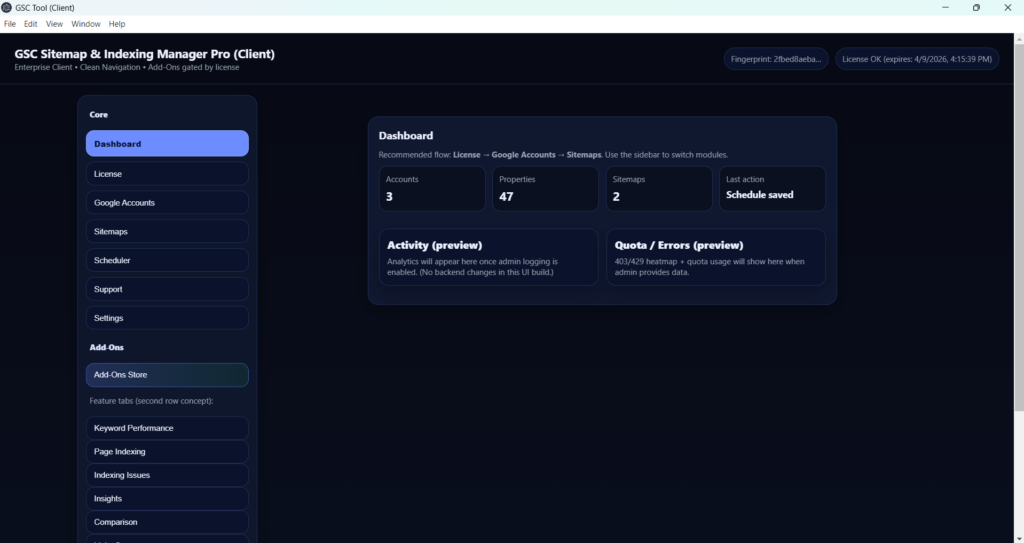
GSCProTool is an google search console automation software through which you can automate page crawling and indexing tasks and can also perform bulk SEO analysis for your website to create a better SEO marketing strategy. It requires a couple of steps to activate the tool for which you will be required one
- License key
- Google Client ID
- Google Client Secret Key
How To Get Activation Keys for GSCProTool?
Step 1: Click On Download Button
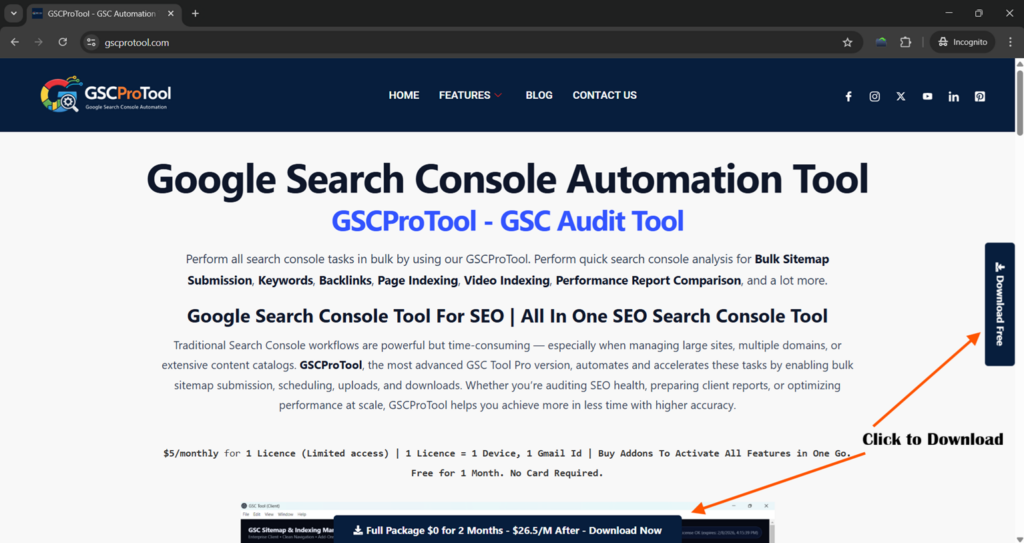
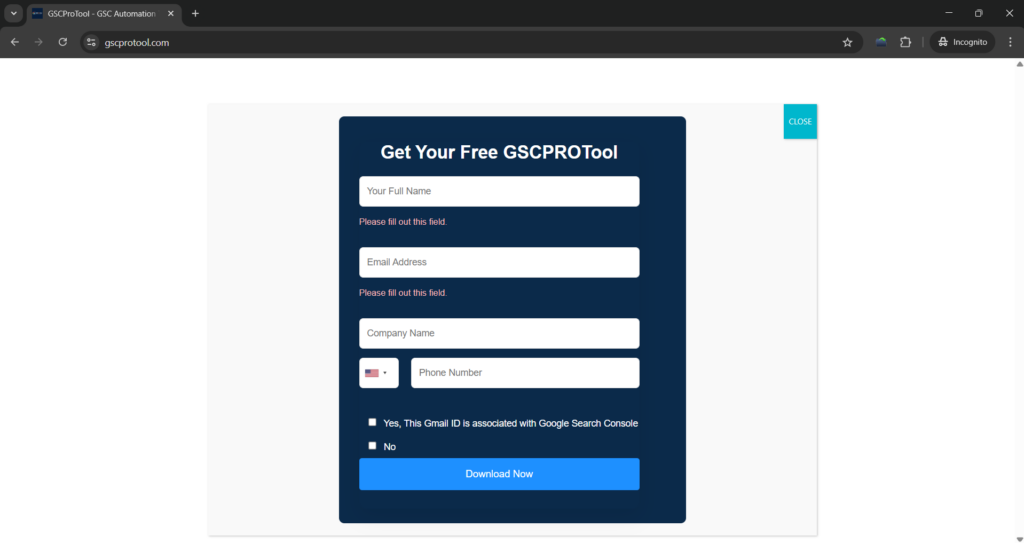
Step 2: Fill The Form and Submit to Auto Start the Downloading.
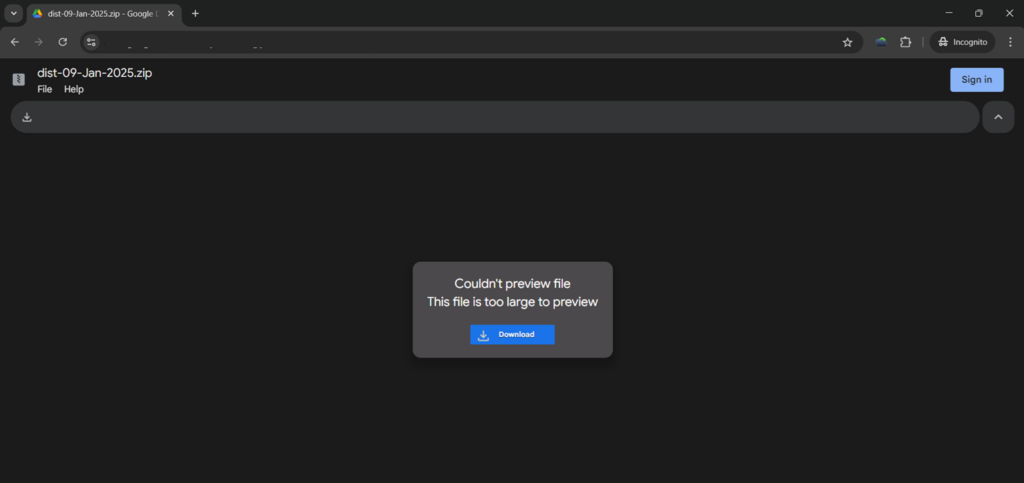
Step 3: Click On Download Button Again
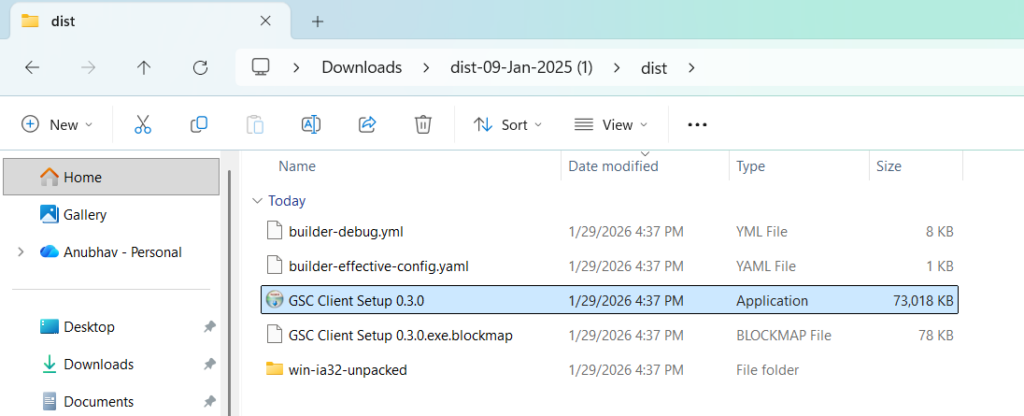
Step 4: Extract the Zip File, Click on dist folder and then click on the GSC Client Setup 0.3.0
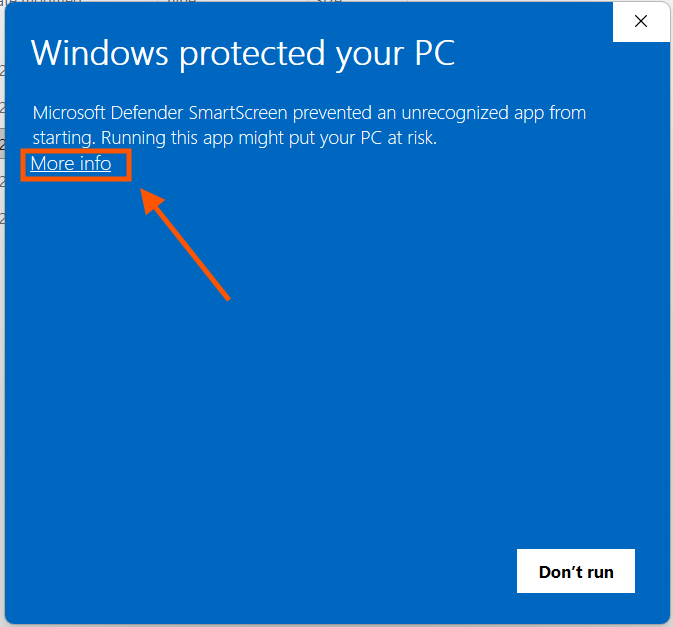
Step 5: Click on More Info
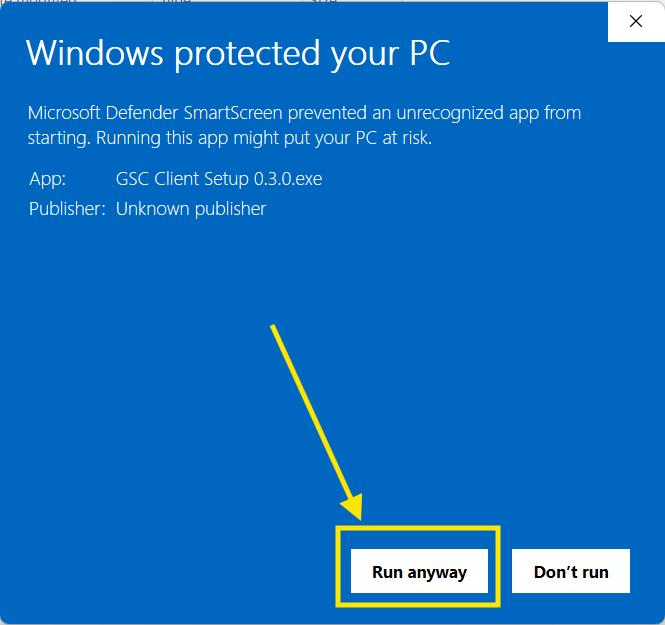
Step 6: Click on Run Anyway
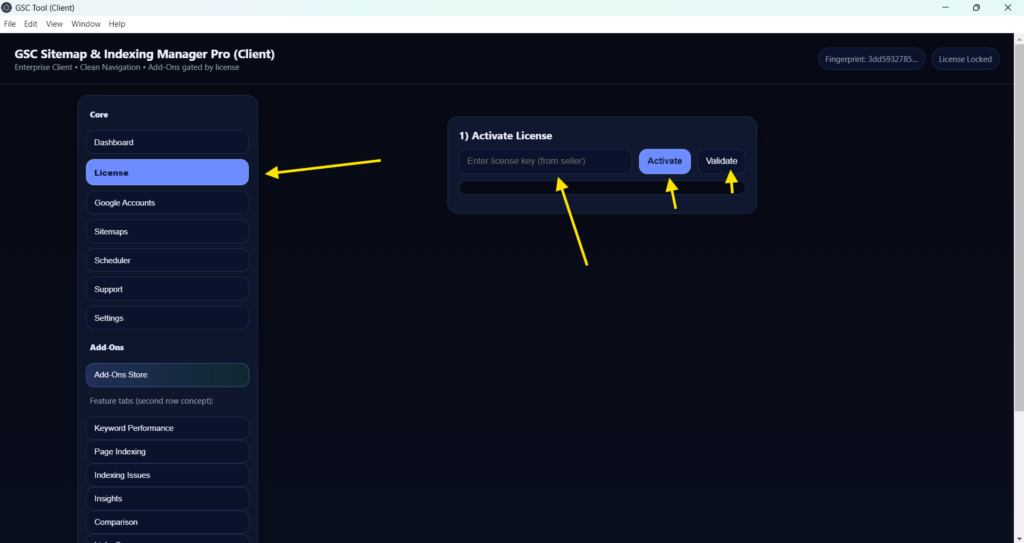
Step 7: Once the Installing is done. Click on License button and copy & paste the License Key You have received from our customer support team. Then click on Activate Button and then click on the Validate Button.
Step 8: Go to Google Accounts Section and follow the steps to generate your Google_Client_ID & Google_Client_Secret keys. Click on Save and then Click on Connect Google Account.
Full Tutorial: Create Google OAuth Client ID + Secret (Deep Steps)
- Open Google Cloud Console – Select/Create a project.
- Go to APIs & Services -> Library, enable Google Search Console API.
- Go to OAuth consent screen and add your test users.
- Create OAuth Client ID (Web application).
- Redirect URL: http://127.0.0.1:5055/oauth/callback
- Paste the Client ID/Secret above – Save – Connect.
If Google blocks login, add your account as a Test User in consent screen.
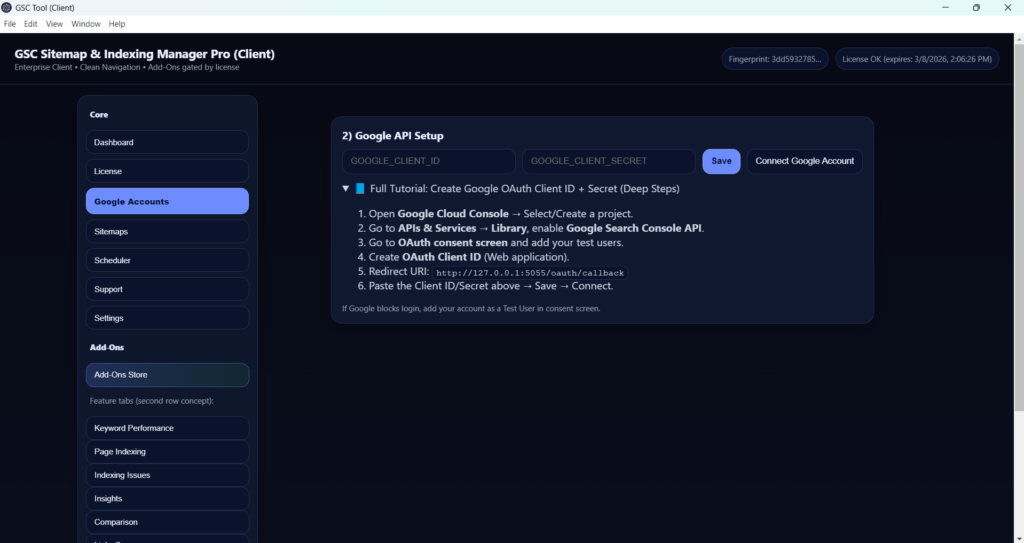
Step 9: Click On Connect Google Account button to login with the Gmail id associated with your Google Search Console account.
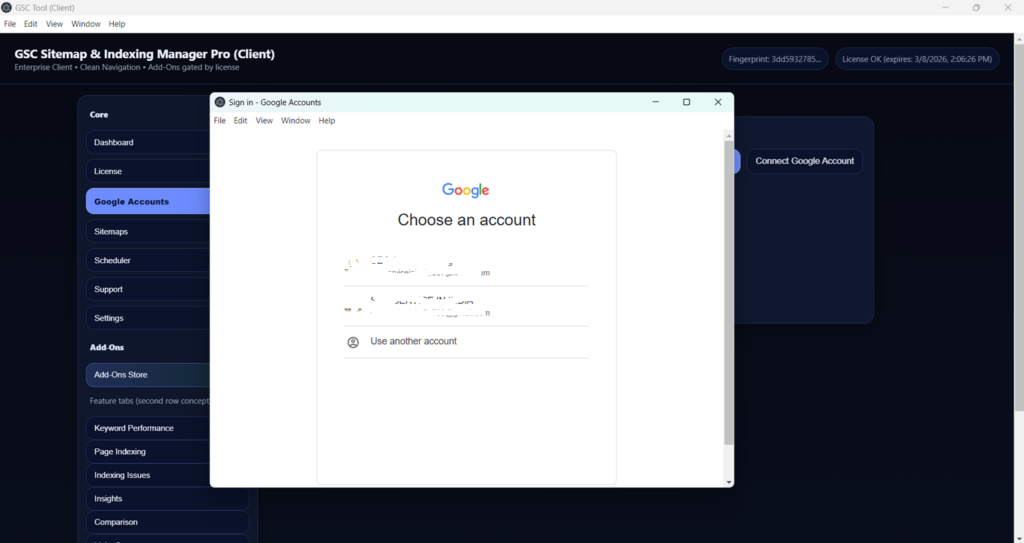
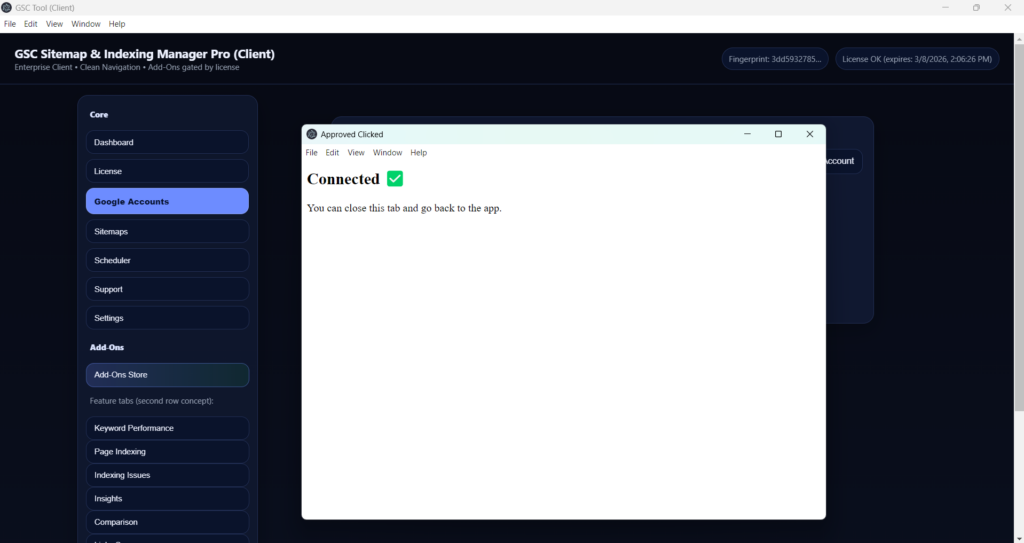
Step 10: Click on Allow and You Are Connected Finally!!
For any additional support on any of the steps mentioned above you can always reach out to our customer support center at: +91-7678300713 (Call/Whatsapp) or through mailing us at gscprotool@gmail.com.